Why I built them: I used to edit until 2am. As a computer science major, I built editors that prepare every video in meticulous detail, so I get to enjoy the moment instead. Luisa, computer science major and major cat lover 🐈⬛
Start with a free guide
Free
Turn Your Clips Into Reels With AI
How a folder of raw footage becomes something worth posting, in eight pages, plus a starter rules page to paste into any AI chat tonight.
What's inside
What it does overnight, and the part I still do myself
What you need: a computer, your AI app, a free video tool and your clips
The folder and the rules page it reads before every reel, with my own rules
A starter rules page to paste into any AI chat tonight: your clips list in, a shot order and three hooks out
Three cut recipes with exact timings: food and cities, tips lists, sunsets
My checklist before I post, and what to read after 48 hours
Every clip watched, rated and labeled, with its best seconds noted.
2
Picks the best moments
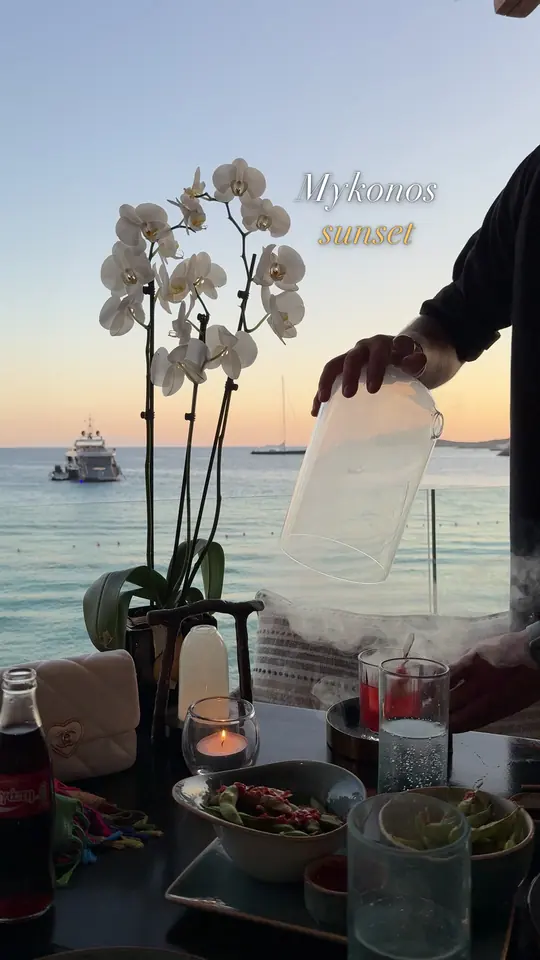
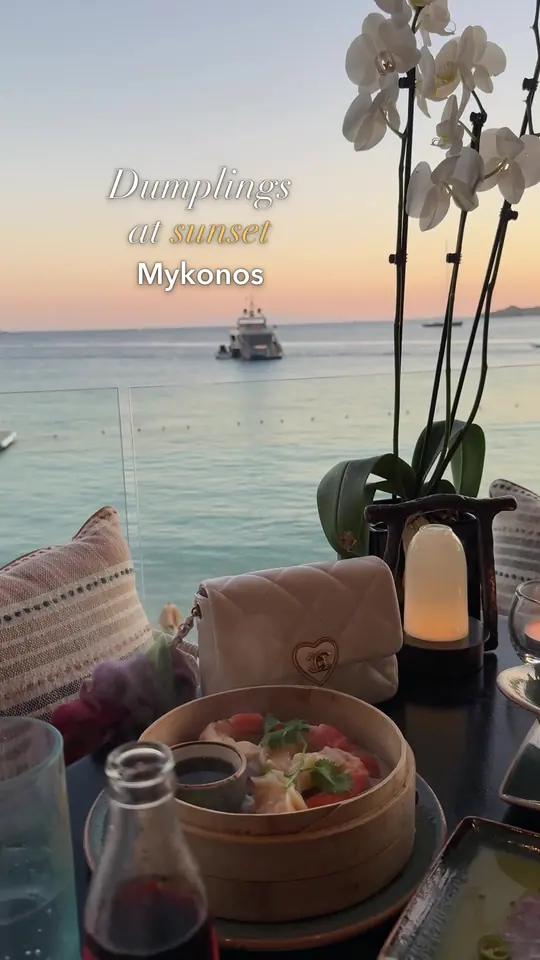
It keeps only the best seconds, like the smoke lifting off a cocktail at sunset.
3
Writes the hook
The first line that stops the scroll, set on screen in the very first second.
4
Finds the fact
It names the place and checks a true fact for the hook and the caption.
See all 11 steps
5
Names places and products
Each place, restaurant and product labeled on screen, with the price when it helps.
6
Grades the color
One grade across every clip: warmer sunsets, bluer sea, no heavy filter.
♫ What You Waiting For? · Gwen Stefani7
Adds the sound, cuts on the beat
It shortlists the sounds rising in your niche. You pick one, and every cut lands on the beat.
8
Adds transitions and effects
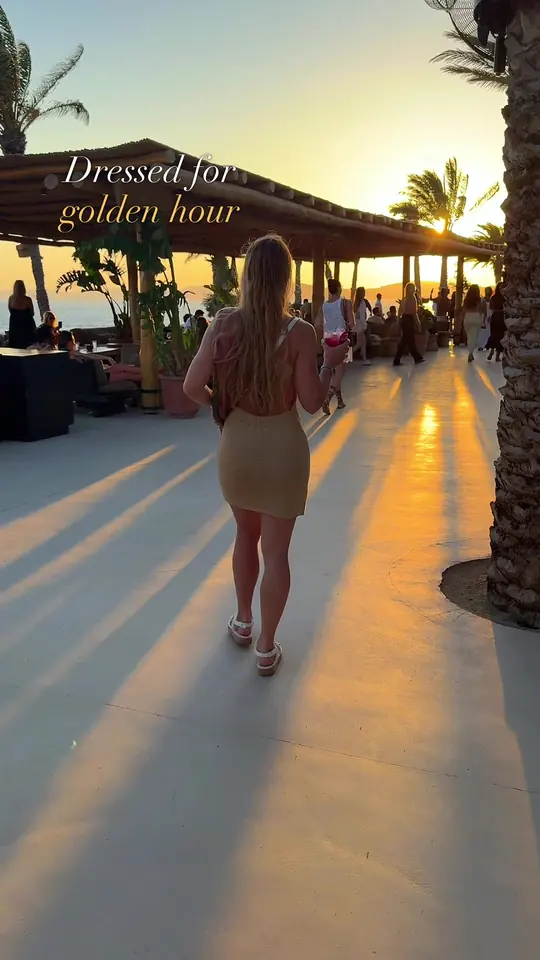
Slow motion for the walk and smooth transitions that land on the beat.
9
Writes the caption and hashtags
A caption that adds something worth reading, in your voice.
10
Makes every version and schedules
A version for Instagram, TikTok, YouTube Shorts, Facebook and Pinterest, scheduled after your yes.
11
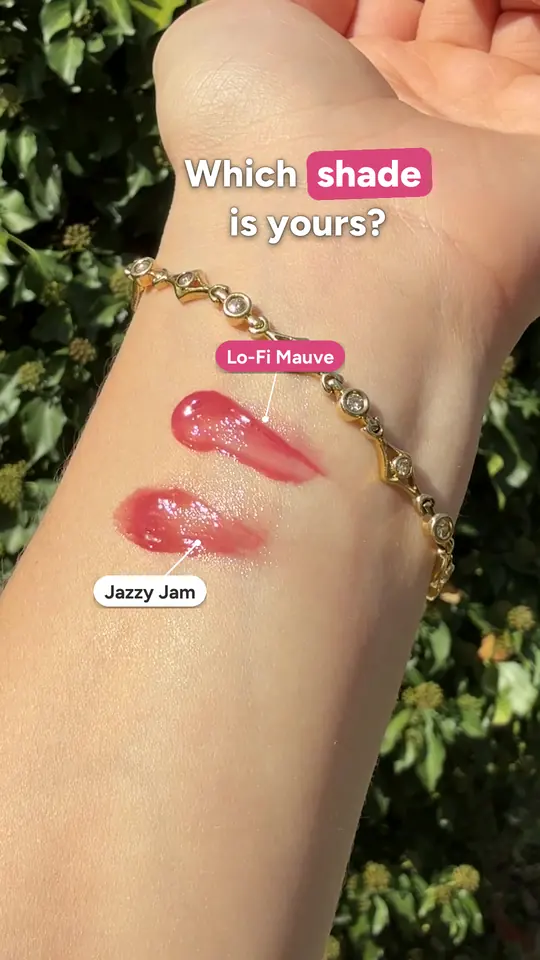
Labels every shade
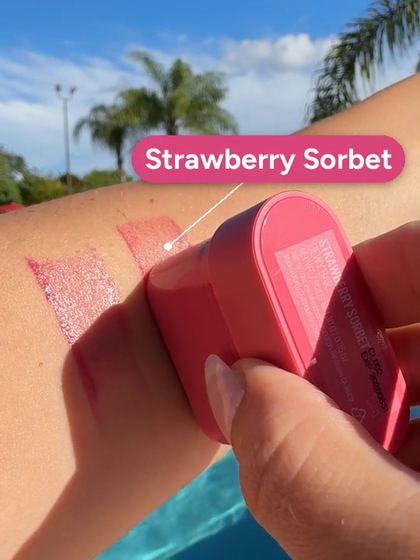
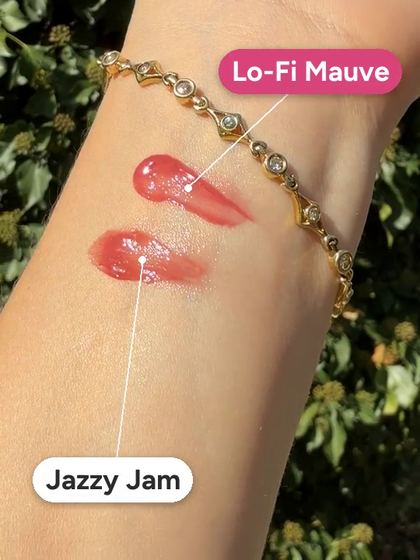
Exact shade and product names on screen, straight from the label. That is Swatch to Reel.
And behind the scenes
Picks your platforms
It asks what you post, who watches and what you want from it, then suggests the 2 or 3 platforms that fit you best. Three apps you keep up with beat six you ghost.
Interviews you about your style
Before the first cut, it asks about your page, your style and the reels you love, then writes your personal rules page. A first date, minus the awkward silence.
Studies your niche
It studies the top posts in your niche and the reels you love, then plans every reel from what's working.
Writes scripts and voiceovers, or cleans your own voice
It writes the script and can create the voiceover on its own. Recording yourself? It trims the pauses and the ums, and when you repeat a sentence, it keeps your best take. Scripts also in TikTok Shop and Scripts That Sell.
Chooses hashtags
Hashtags that fit the post and the platform. Goodbye, #travelgram at midnight.
Links products and adds place tags
Only if you like: the product links in your post, also in TikTok Shop, and the place tag on the map.
How it works, and what you need
1
Buy it and open the folder.
One download: the editor and the illustrated guide.
2
Drop the folder into your AI app and say “set me up”.
It asks about your page and your style, installs the small free tools it needs with your OK and writes your personal rules page.
3
Tonight, hand it a folder of clips.
Once it knows your style, it works the night shift: by morning your reels are finished and waiting for your yes, with a version for each of your platforms. One yes after your quick review schedules them all, or it schedules on its own if you'd rather sleep in.
✓
What you need
The Claude desktop app on a paid plan, about $20 a month. I recommend Claude, but ChatGPT can be used if you prefer it.
Any clips you throw at it, from any trip and any phone, and it all runs inside your own AI account ✨
The guides and automated AI editors
Every automated AI editor comes in two versions: one for Claude and one for ChatGPT. You use the one you have.
RecentsSelect
0:14
0:09
0:31
0:22
0:07
0:18
0:11
0:26
0:05
0:16
0:12
0:24
0:04
0:19
0:08
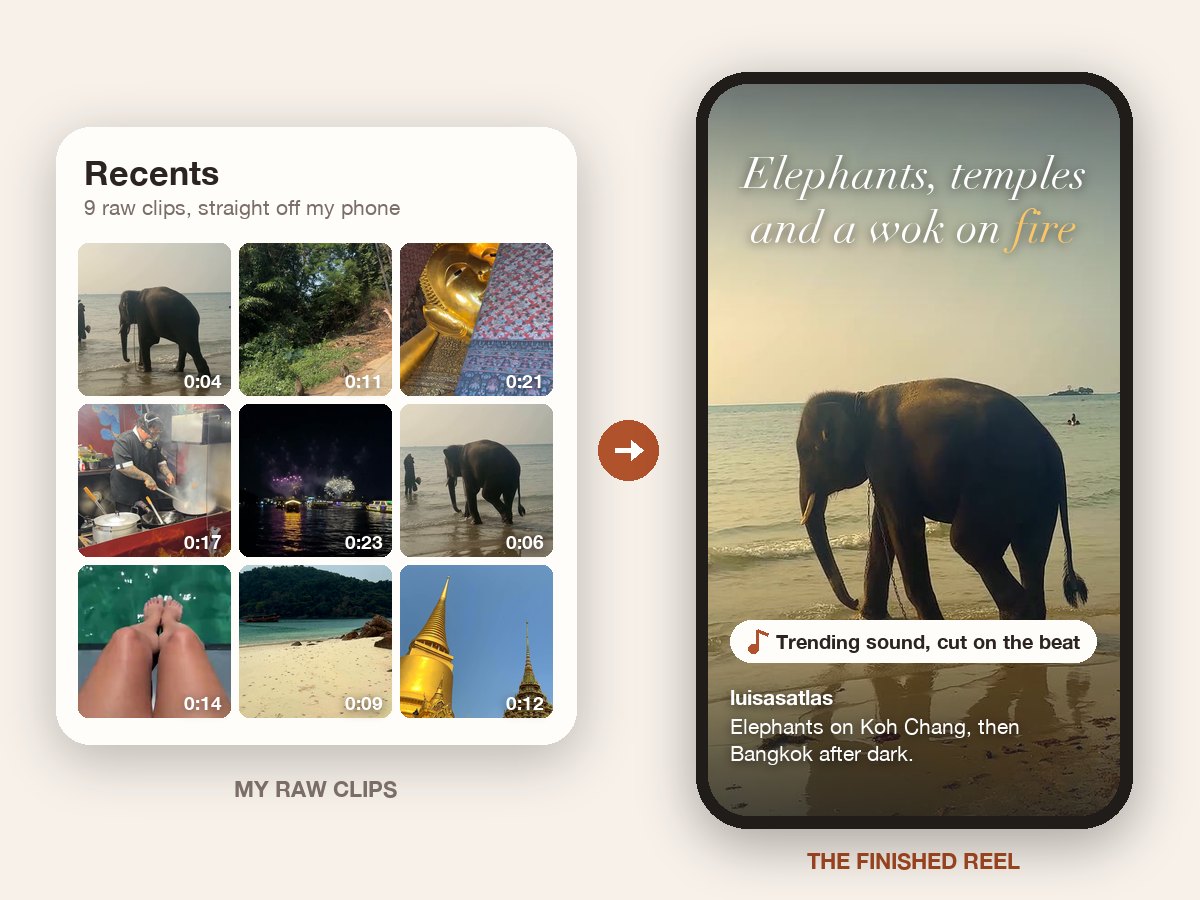
My raw clips, Koh Chang→How I get to Koh Chang: one 30 minute ferry.Comment the word TRIPAfter my editor's cut
Raw clips→Finished reel
Start here
Folder to Reel
I used to edit until 2am. Now, once it knows my style, tonight's clips are cut, graded and captioned by breakfast ☕ My best hook kept 78% of viewers watching past the first 3 seconds. My own number, not typical.
What's inside
From Raw Clips to Finished, Scheduled, Eye-Catching Reels
What you receive
The automated AI editor: a folder you drop into your AI app, in two versions; you use the one you have.
The illustrated guide that explains every step of the same workflow.
The automated AI editor interviews you about your niche, the reels you love, the top accounts in your niche and your tone, then sets up every app and folder with you, step by step
Recognizes what's in your clips, and you choose what: places, restaurants, hotels, dishes, brands and products down to the exact shade name. It does the searching itself; you only confirm the names in a table. Plus 2 to 3 sourced facts per place, with the best hook marked 🤯
It reads the sound pages you open or allow in your own browser and brings you a shortlist of the sounds rising in your niche. You say yes to one, add it in the app with one tap, and it cuts every clip on the beat. Then it builds the reel: picks the best moments, color grades every clip, adds catchy hook text on screen, makes the cover and writes the caption and hashtags in your voice, ready to schedule. Claude and ChatGPT versions included
Reels that fit every app: text and the key action kept clear of the buttons on TikTok, Instagram, YouTube Shorts and Facebook, and a version for each of your platforms, made with the main reel so one review covers them all
A simple edit or a fancier template reel with typewriter text, zoom punches, a glint and a seamless loop; voiceovers licensed for posting, checked word by word; a fact check, a fresh eyes review and a weekly review that learns
Inside the guide
Everything in Folder to Reel
What you need
Works best with the Claude desktop app on a paid plan, about $20 a month, on a Mac. I recommend Claude, but ChatGPT can be used if you prefer it.
Works on a Mac with macOS 13 or later. Needs a desktop AI app with file access on your own paid plan, about $20 a month, not included. Optional cloud rendering on your own Amazon Web Services account for slow laptops, about $3 to $13 a month for 100 reels by my estimate. Not yet tested on Windows.
The automated AI editor: a folder you drop into your AI app, in two versions; you use the one you have.
Claude and ChatGPT versions included, plus copy ready templates
A license key, checked once with Gumroad.
What it does
A setup interview that learns your niche, the reels you love, the top accounts in your niche and your tone, then it gets to work: plans and builds reels from your folders, writes captions in your voice and runs your weekly review
Recognizes what's in your clips, and you choose what: places, restaurants, hotels, dishes, brands and products down to the exact shade name. It does the searching itself; you only confirm the names in a table. Plus 2 to 3 sourced facts per place, with the best hook marked 🤯
Reels that fit every app, a version for each platform, a simple edit or a fancier template reel, voiceovers licensed for posting and checked word by word, and a fresh eyes review before anything is ready
What you need
Works best with the Claude desktop app on a paid plan, about $20 a month, on a Mac. I recommend Claude, but ChatGPT can be used if you prefer it.
I've sat on the brand side of the table: I built a wellness brand to more than $1.2 million in sales. Now my automated AI manager drafts your pitches in your tone, and you press send.
What's inside
Pitches, Rates and Deals for Travel, Beauty and Lifestyle Creators
What you receive
The automated AI manager: a folder you drop into your AI app, in two versions; you use the one you have.
The illustrated guide that explains every step of the same workflow.
A license key, checked once with Gumroad.
What it does
The automated AI manager: builds your one page media kit and UGC portfolio from your own dated numbers, builds your lead list with published contacts, drafts your pitches, replies and follow ups in your tone right into your Gmail drafts in the Claude version, checks every number and claim, prices your quotes from published rate ranges for your account size and deal type, checks contracts line by line, keeps your deals sheet and drafts your invoices. It never sends: you press send and sign. Claude and ChatGPT versions included
Basically a manager who doesn't take 20%
Inside the guide
Written from both sides of the table, so you see what a pitch looks like from the inbox it lands in
The guide, about 45 illustrated pages: where the doors are for hotels, tourism boards, beauty, fashion and gear brands, and who exactly to email
A one page media kit, 21 copy ready templates, and what to say when they ask “what are your rates?”
Pricing, usage rights, contracts and FTC disclosure, explained simply
What you need
Works best with the Claude desktop app on a paid plan, about $20 a month, on any computer. I recommend Claude, but ChatGPT can be used if you prefer it.
Rates shown as ranges from published sources, dated. No promise of deals or income.
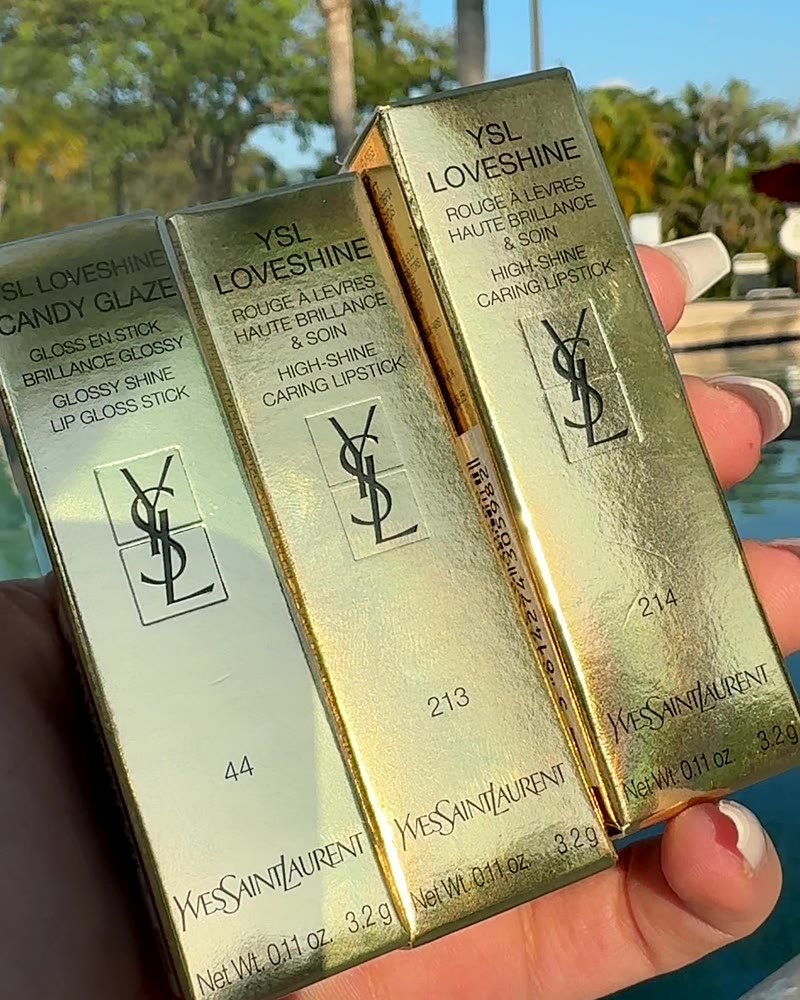
My pool bag gloss.YSL Candy GlazeTap the orange cart✓Checked against TikTok Shop rules
Your product→Checked script
TikTok Shop Videos That Sell
One wrong word can cost you the video and the link. Every script, shot and claim gets checked against TikTok Shop's rules before you post.
What's inside
Hooks, Demos and Captions That Convert, Checked to Reduce Violations
What you receive
The automated AI editor: a folder you drop into your AI app, in two versions; you use the one you have.
The illustrated guide that explains every step of the same workflow.
A license key, checked once with Gumroad.
What it does
The automated AI editor: learns your niche, the videos you love, the top sellers in your niche and your tone, then writes your scripts and captions in your voice, checks every listing, script, shot and product claim against the rules before you post, and walks you through every TikTok setting. Claude and ChatGPT versions included
Voiceovers when you want them, checked word by word, and a weekly review with a money scoreboard per video
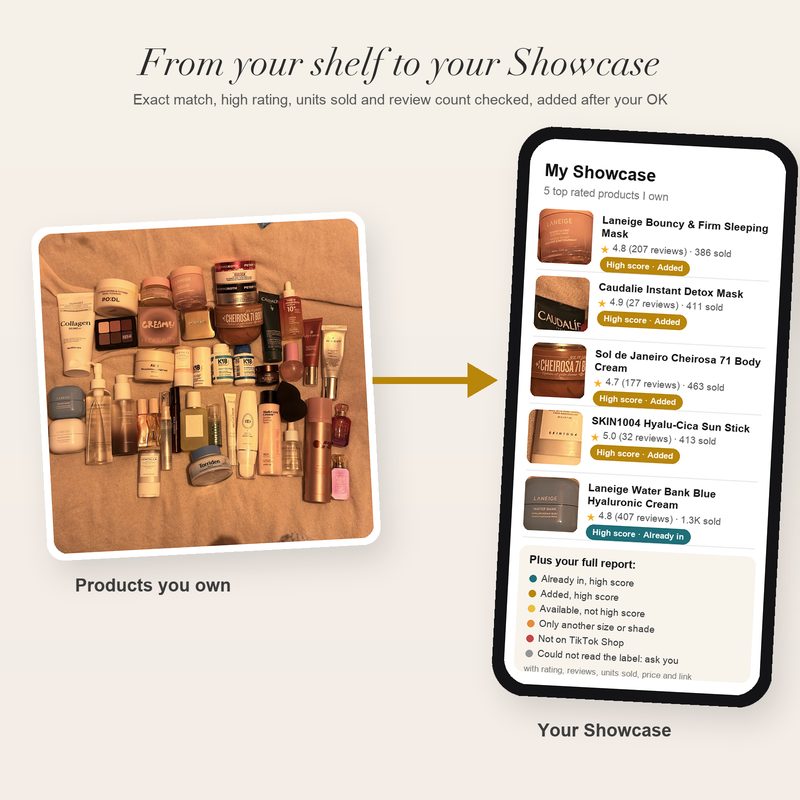
Showcase builder: from photos of products you own, it finds each one on TikTok Shop, keeps only highly rated exact matches, checks what is already Live in your Showcase and adds the rest after your OK, with a dated report
Basically a copywriter and a rules checker who never sleep
Inside the guide
The guide, about 50 illustrated pages: the rules that get most shoppable videos flagged, in plain words, and how to sell inside them
Hooks, demos and result shots that make people tap the cart, with six script templates, and voiceovers you are allowed to post
Picking products that protect your account and your Product Selection Score
What you need
Works best with the Claude desktop app on a paid plan, about $20 a month, on any computer. I recommend Claude, but ChatGPT can be used if you prefer it.
Rules as collected in October 2026, dated and linked to the official pages. No promise of approval or sales. Not affiliated with TikTok.
The illustrated guide that explains every step of the same workflow.
Inside the guide
The rules that get most shoppable videos flagged, in plain words, with where each official page lives
Hooks, demos and result shots that make people tap the cart, with six script templates
Voiceovers you are allowed to post, and checking every product claim before you post
Picking products that protect your account
Building a Showcase of only highly rated products you really own
A one page pre post checklist
Want it automatic? Add the automated AI editor alone for $29, or get the version with both
What you receive
The automated AI editor: a folder you drop into your AI app, in two versions; you use the one you have.
Claude and ChatGPT versions included
A license key, checked once with Gumroad.
What it does
A setup interview that learns your niche, your favorite videos, the top sellers in your niche and your tone, then it gets to work: audits your products and footage, writes your scripts and captions in your voice from six templates, and checks every listing, script, shot and product claim against the rules before you post
Voiceovers when you want them, licensed for posting and checked word by word
Showcase builder: from photos of products you own, it finds each one on TikTok Shop, keeps only highly rated exact matches and adds them after your OK, with a dated report
Helps with violations and appeals, and turns your weekly numbers into new rules, with a money scoreboard per video
What you need
Works best with the Claude desktop app on a paid plan, about $20 a month, on any computer. I recommend Claude, but ChatGPT can be used if you prefer it.
You press record, and suddenly you sound like a cereal commercial. Now you always know what to say next, in your own voice, for posts and LIVEs.
What's inside
Speak on Camera Like a Top Seller in Posts and Lives
What you receive
The automated AI editor: a folder you drop into your AI app, in two versions; you use the one you have.
The illustrated guide that explains every step of the same workflow.
A license key, checked once with Gumroad.
What it does
The automated AI editor: learns your niche, your voice, your favorite videos and your tone, researches the best sellers of a product, writes your scripts and LIVE loops, checks every line and every claim against the rules, and checks every word of a voiceover. Claude and ChatGPT versions included
Basically a script intern who has read every policy page and never asks for a lunch break
Inside the guide
The guide, 40+ illustrated pages: top, middle and bottom of funnel scripts with full timed examples, and 15 natural lines that sell without shouting
What you can and cannot say about prices, deals, results and other brands, plus disclosure that works, with the official sources and dates
LIVEs: a 12 minute loop you repeat for hours, a 2 hour plan, greeting newcomers, answering questions and moderators
Looking and sounding good on camera, tone by personality, safe jokes, 20 hook formulas and a twelve angle script focus menu
What you need
Works best with the Claude desktop app on a paid plan, about $20 a month, on any computer. I recommend Claude, but ChatGPT can be used if you prefer it.
Rules as collected in October 2026, dated and linked to the official pages. Educational only, not legal advice. No promise of views, sales or income. Not affiliated with TikTok, Instagram or Meta.
The drone shot I couldn't fly, planned from my own photo and always labeled AI. My cost per usable shot went from about 24 credits in my worst week to 3.5 to 4.5. My own numbers from October 2026, not typical.
What's inside
Views That Flow Into Your Real Footage
What you receive
The automated AI editor: a folder you drop into your AI app, in two versions; you use the one you have.
The illustrated guide that explains every step of the same workflow.
A license key, checked once with Gumroad.
What it does
The automated AI editor writes your image and video prompts, checks every image with fresh eyes before you spend credits on video, checks every spoken line, plans the cut, writes honest captions with sourced facts and keeps your credit log. Claude and ChatGPT versions included
Inside the guide
The guide, 45 illustrated pages: when AI shots help a reel, and when they hurt
What one finished shot cost me, before and after these rules, on my plan in October 2026
A consistent character of yourself
Prompts that get real landmarks right, from a real photo
Start frames, checks and natural camera moves
Cutting AI slices into real footage
Products stay real: I film every product myself, and AI is only for the view
What you need
Works best with the Claude desktop app on a paid plan, about $20 a month, on any computer. I recommend Claude, but ChatGPT can be used if you prefer it.
An AI image and video tool with credits, bought by you. I use Higgsfield; any tool with a character model and an image to video model works. The automated AI editor writes and checks; you press generate.
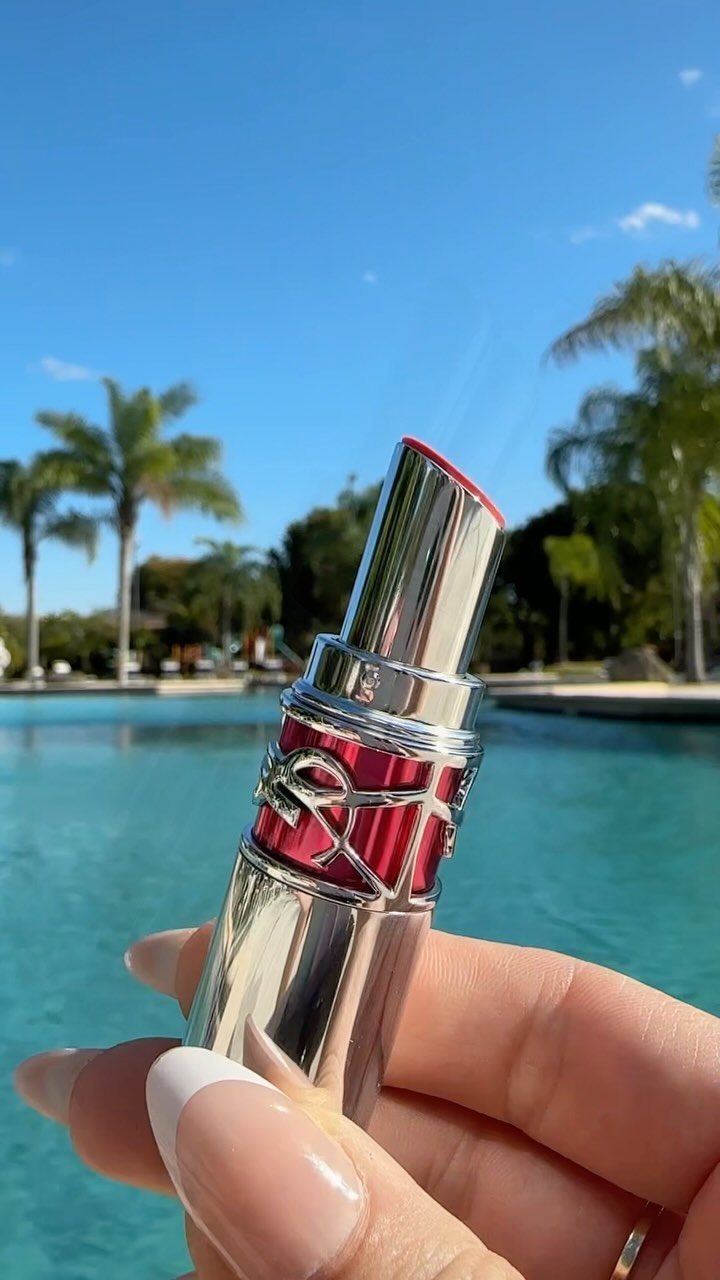
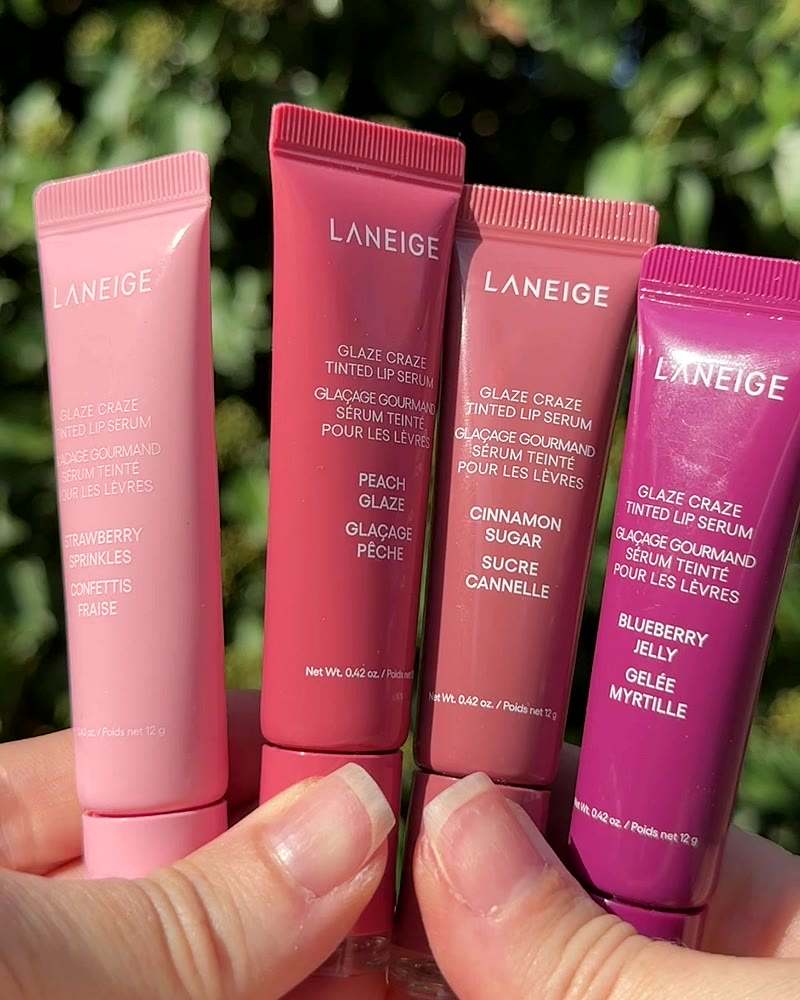
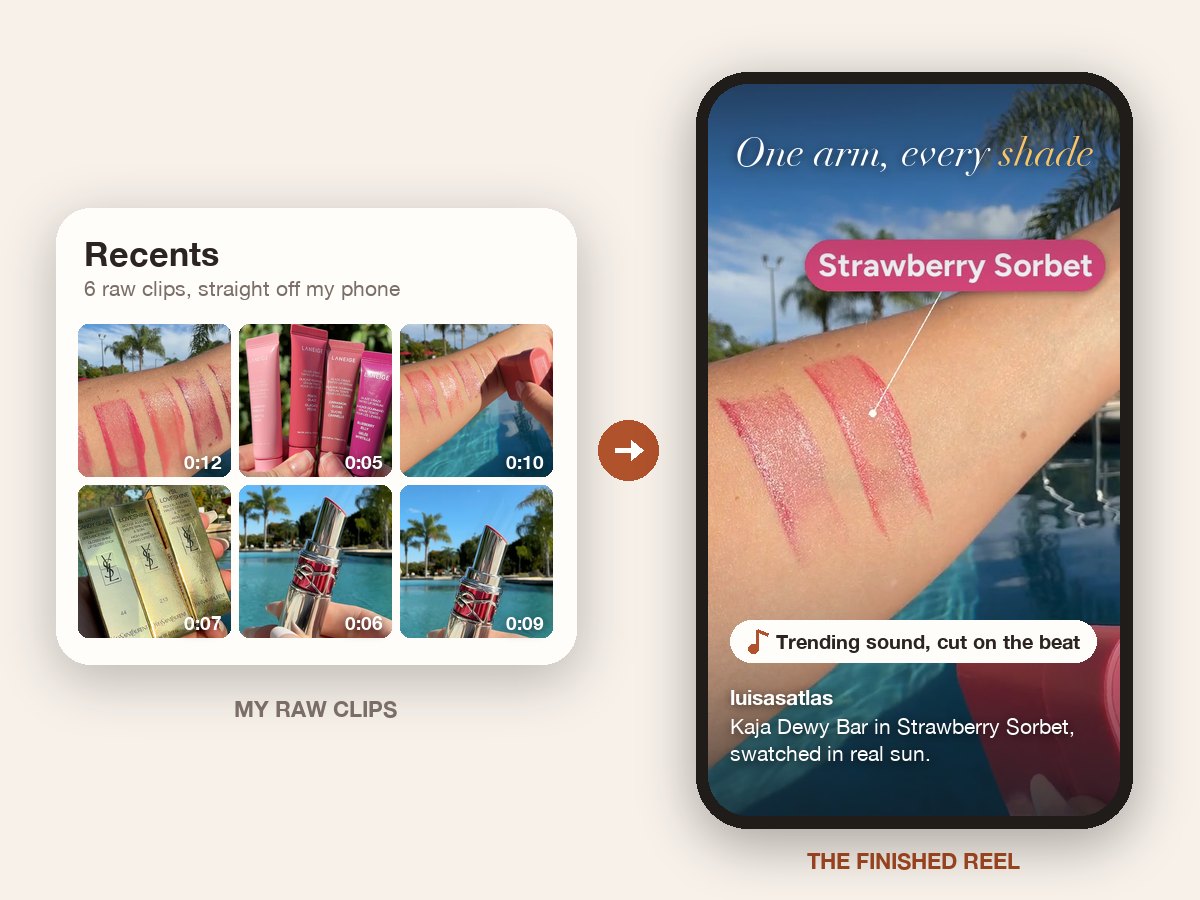
"Which shade is it?" Every shade named on screen, from the label or the brand's page, before you post 💄
What's inside
Beauty Product Videos, Lighting, Swatches and Shade Labels
What you receive
The automated AI editor: a folder you drop into your AI app, in two versions; you use the one you have.
The illustrated guide that explains every step of the same workflow.
A license key, checked once with Gumroad.
What it does
Plans each shoot: window light or a lamp setup, background, swatch order, shot list and the first frame
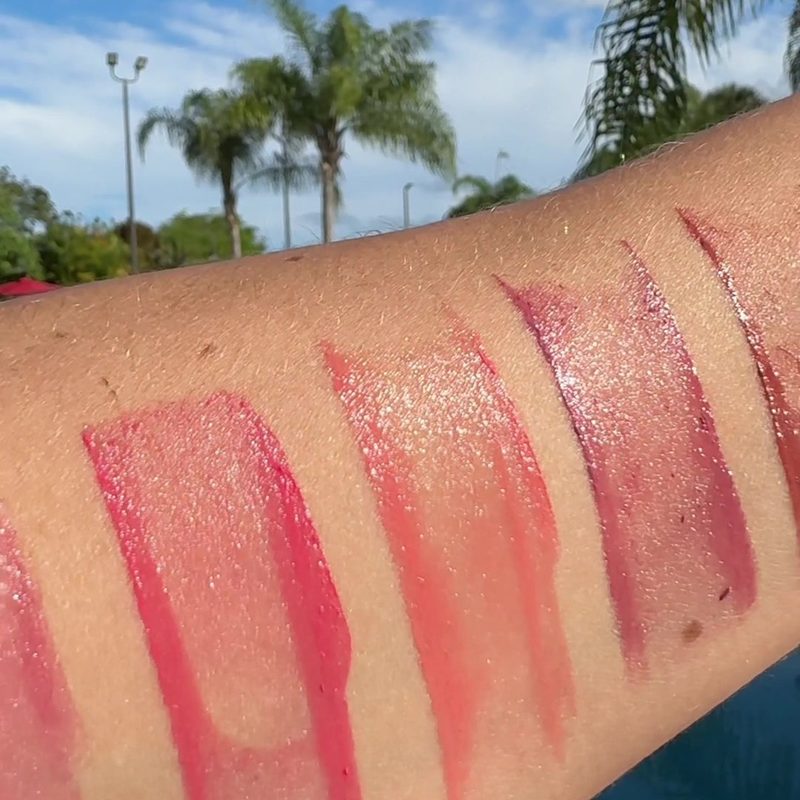
Names every shade from the tube, the tray or the brand's page, and writes a plain color word when a name can't be confirmed
Builds the video from your own clips, in the Claude version on a Mac: your best product and swatch moments, cuts on your voice or the beat, every shade name in a pill
Writes your script, hooks, captions and disclosure line in your voice, and checks every claim against the label
A fresh review scores every video before it is called ready. The AI picks the best shots; you review over coffee
Once it knows your style, it works the night shift: you wake up to finished videos waiting for your yes over coffee, in the Claude version with your Mac awake and the app open. Your only job is filming
Every word on free space, never over your face, hands, the product or the swatch, in your own look, with four to pick from
Inside the guide
First, the guide of 60+ illustrated pages teaches you how to film beauty product videos: window light or two daylight lamps, the phone settings I use, macro shots of texture and applicators, swatches and shade names people trust
Voice led product videos: scripts, pace, music under your voice, and voiceovers you are allowed to post
What you need
Works best with the Claude desktop app on a paid plan, about $20 a month, on a Mac. I recommend Claude, but ChatGPT can be used if you prefer it.
Every guide and every automated AI editor, in one package.
Reels
Shades
Brand deals
TikTok Shop
Edits
Trends
Every guide, every automated AI editor
One download→The whole toolkit
The Complete Creator Bundle
Ten guides, nine editors, one manager and one coffee ☕ My whole workflow, for creators who film travel and sell on camera.
What's inside
Every Guide
What you receive
Folder to Reel with its automated AI editor, TikTok Shop Videos That Sell, Swatch to Reel with the True to Shade guide, Scripts That Sell, Get Paid by Brands and Hotels, Make AI Travel Images, plus the single skill guides, including the TikTok Shop Showcase Builder
An automated AI editor for every guide, and for brand deals the automated AI manager, Claude and ChatGPT versions
A license key, checked once with Gumroad.
What it does
Together: trend research in your niche, songs, places, checked facts and hooks, the edit, color, voiceovers, captions in your tone, a version for every app, rule checks, product links, scheduling, brand pitches and AI images
What you need
The video editors need a Mac; the rest run on any computer. Works best with the Claude desktop app on a paid plan, about $20 a month. I recommend Claude, but ChatGPT can be used if you prefer it.
All ten guides, each with its own automated AI editor or manager. Bought one by one they come to $390; together they are $179.
Smaller, cheaper guides, each with its own automated AI editor: one job, done well. Sorting, editing and finding rising sounds are also part of Folder to Reel, so pick a single skill only when that one job is all you want.
✓Added after your OK
Your shelf→Filled Showcase
TikTok Shop Showcase Builder
My TikTok Showcase had over 650 products, many of them nothing to do with beauty. This fills yours with only what's on your shelf, after your OK.
What's inside
Fill Your Showcase With Top Rated Products You Own
What you receive
The automated AI editor: a folder you drop into your AI app, in two versions; you use the one you have.
The illustrated guide that explains every step of the same workflow.
Claude reads the store and adds them for you; in ChatGPT it rates what you paste and writes the report.
A license key, checked once with Gumroad.
What it does
The automated AI editor: reads the packaging in your photos, finds each product on TikTok Shop a few at a time, rates it, checks what is already Live, adds only after your OK and writes a dated report with a results picture. Only in your own browser, after your yes, never any scraping. Claude and ChatGPT versions included
Inside the guide
The guide, 18 illustrated pages: why a Showcase of products you own protects your score and your niche, with the official rules, dated
Reading brand, name, type, size and shade from your own photos, never guessing; my match rules: serum is not cream, a mini is not the full size, a set never matches a single product
My high rating table of 4.5 stars or more with 100 or more reviews, checking your Showcase by product ID, and the app route that always works
What you need
Works best with the Claude desktop app on a paid plan, about $20 a month, on any computer. I recommend Claude, but ChatGPT can be used if you prefer it.
A TikTok Shop affiliate account in the US. The Claude version reads pages in your own Chrome with the free Claude in Chrome extension, which comes with the paid plan of about $20 a month, not included. Rules as collected in October 2026, dated. No promise of sales or income. Not affiliated with TikTok. Smaller and cheaper than the full guides: one skill. Already buying TikTok Shop Videos That Sell? This Showcase builder is inside it, so you don't need both.
It knew the restaurant's name. I didn't 😅 One folder per place, the best moments marked, every restaurant and product named for you to confirm.
What's inside
Find Your Best Clips and Recognize What's in Them
What you receive
The automated AI editor: a folder you drop into your AI app, in two versions; you use the one you have.
The illustrated guide that explains every step of the same workflow.
A license key, checked once with Gumroad.
What it does
Places and products named for you: the editor does the searching itself and you only confirm the names in a table. Exact shade names only from the label or the brand's page. Strangers are never identified
The automated AI editor: sorts the clips you export into place folders, writes the best moments, tells you which hour to check for neighbor clips, recognizes what you choose, finds 2 to 3 sourced facts per place and checks your copies before you delete an original. Claude and ChatGPT versions included
Inside the guide
The guide, about 25 illustrated pages: copies only, one folder per place, contact sheets, the best seconds and the avoid list
The neighbor habit: why the clip you remember is rarely the best one of that hour
What you need
Works best with the Claude desktop app on a paid plan, about $20 a month, on a Mac. I recommend Claude, but ChatGPT can be used if you prefer it.
You export your clips to your Mac first, and it shows you how; your photo library is never changed. The Claude version works best on a Mac with the free video tool ffmpeg and a paid plan, about $20 a month, not included. Smaller and cheaper than the full guides: one skill.
All of Mykonos shares about 30 taxis.So I book my ride before I fly.✓Cut on the beat · color matched
Picked clips→Edit ready for a song
Edit Like a Pro
My clips were pretty, my edits were not 🙈 Now everything lands on the beat and the colors stop jumping.
What's inside
Cuts, Color and Text for Reels
What you receive
The automated AI editor: a folder you drop into your AI app, in two versions; you use the one you have.
The illustrated guide that explains every step of the same workflow.
A license key, checked once with Gumroad.
What it does
The automated AI editor: learns your look, your favorite reels and your tone, turns your song into a cut list, grades your clips so nothing jumps, plans every text line, checks every fact on screen, and finishes the reel as a simple edit or a fancier template reel, with a cloud option for slow laptops, with a fresh eyes check before anything is ready. Claude and ChatGPT versions included
Inside the guide
The guide, 35+ illustrated pages: the shape of reels that hold, five pacing recipes with real cut times, and beat recipes timed like the most used edit templates
Finishing touches: a seamless loop, one whip, a gold glint, gentle zoom punches
Color that matches: my four looks and their exact settings; typewriter text kept clear of every app's buttons; covers
Safe music use, and voiceovers you are allowed to post
What you need
Works best with the Claude desktop app on a paid plan, about $20 a month, on a Mac. I recommend Claude, but ChatGPT can be used if you prefer it.
The Claude version needs a Mac, the free video tool ffmpeg and a paid plan, about $20 a month, not included. Not legal advice about music. Smaller and cheaper than the full guides: one skill.
Guess where I refill my bottle for free?My shortlist, 22 Nov♫Flower In A Hurricane♫Dracula
Your niche→This week's shortlist
Find Trending Sounds and Hooks Early
By the time a sound is everywhere, it's already tired 🥱 Catch the next one on its way up, in about an hour a week, with openers written in your voice.
What's inside
A Weekly Research Routine
What you receive
The automated AI editor: a folder you drop into your AI app, in two versions; you use the one you have.
The illustrated guide that explains every step of the same workflow.
A license key, checked once with Gumroad.
What it does
The automated AI editor: reads the sound pages you open, about an hour a week while you listen, dates every count, stages your sounds, keeps your sound and hook banks, builds your benchmark, suggests hooks in your voice and your tone, checks every claim in them and turns your numbers into dated rules. It never scrapes and never suggests avoiding AI labels. Claude and ChatGPT versions included
Inside the guide
The guide, 20+ illustrated pages: early, rising, peaking or worn, and the one number that tells them apart
Finding rising sounds by hand on Instagram and TikTok, and a sound bank that remembers
Hooks that held on my account, with dated numbers, twelve hook shapes to rotate, and your own benchmark of your niche's winners
A weekly routine on one page, and how to test so your own numbers decide
What you need
Works best with the Claude desktop app on a paid plan, about $20 a month, on any computer. I recommend Claude, but ChatGPT can be used if you prefer it.
Platform tools change often; sources dated October 2026. Smaller and cheaper than the full guides: one skill.
Both versions come in the same download. I recommend the Claude desktop app on a Mac, because it builds the whole reel itself, but ChatGPT can be used if you prefer it. The exact apps and plans are in the small print below.
Does it work on Windows?
The ChatGPT version plans and writes on any computer. Fully automatic editing needs a Mac for now.
Does it post for me?
It never posts right away. It schedules after your review, or, if you choose, on its own at your set times, only videos that passed every check.
How long does setup take?
About ten minutes to install. Then one longer first session: about 1.5 hours with the full style interview, which I recommend, or about an hour with the quick start, ending with your first test reel. After that, your part is mostly a review over coffee.
Can I get a refund?
Yes, within 30 days: email luisa@luisasatlas.com. After a refund, the license key stops working.
More questionsWhich platforms can it schedule to?
Instagram, TikTok, YouTube Shorts, Facebook and Pinterest, with a version made for each. It uses each platform's own free scheduler in your browser, or one calendar in Metricool, whose free plan covers one brand. Before you ever pay for a plan, it counts your posts and tells you whether the free plan is enough. You log in yourself; it never touches your passwords.
Does it need my footage?
Yes, it edits the clips you give it: any clips you filmed, from any trip and any phone.
Is anything sent to you, Luisa?
No. It runs inside your own AI account. The only outside check is your license key, once, with Gumroad.
What if I don't like the first reel?
Tell it what you'd change. Every note becomes a new rule, so the second reel is closer to you.
The small print
Payments are handled by Gumroad, which also handles sales tax and VAT and sends you the files by email.
What you need for the automated AI editors: one AI app, not both. The Claude version needs the Claude desktop app on a paid plan: Pro is $20 a month, or $17 a month billed yearly, as listed on claude.com/pricing on 31 October 2026, and, for the video kits, a Mac and free tools the automated AI editor installs with your OK: ffmpeg and Python. The ChatGPT version needs a ChatGPT plan with Projects; it plans, writes and checks, but it can't cut, grade or render video files or schedule posts. AI plans, schedulers, cloud rendering and AI image credits are not included.
The small print: educational only, not legal, tax or financial advice. No promise of views, followers, sales or income; my numbers are my own, dated and not typical. AI makes mistakes: review everything before you post or send it. Platform rules change: check the official pages. Not affiliated with any app or company mentioned, and the guides contain no affiliate links. The automated AI editors run in your own AI account: nothing is sent to me, and the only outside check is your license key, once, with Gumroad. Personal use license. 30 day money back guarantee: email luisa@luisasatlas.com within 30 days of purchase for a full refund; after a refund the license key stops working.
 Luisa's Atlas











 0:14
 0:09
 0:31
 0:22
 0:07
 0:18
 0:11
 0:26
 0:05
 0:16
 0:12
 0:24